Auto Everything Flow

Auto Everything Flow

v8.6 — PRO

Automate image generation, image-to-video conversion, and bulk downloading on Google Flow AI. Save hours with batch prompts, smart scanning, and one-click downloads.

Chrome Extension Google Flow AI 30 Languages Batch Automation
Add to Chrome — Free See Features

How It Works

Three simple steps to automate your entire workflow on Google Flow AI.

1

Enter Your Prompts

Paste a list of text prompts into the extension sidebar. One prompt per line, unlimited with Pro.

2

Auto Generate

Click start and the extension automatically submits each prompt to Flow AI with smart wait times.

3

Scan & Download

The smart scanner finds all generated images. Download them all at once into organized folders.

See It in Action

Generation, downloads, video workflows and a creator Community, alongside your Flow workspace.

All-in-One Sidebar

Your Flow Tools in One Sidebar

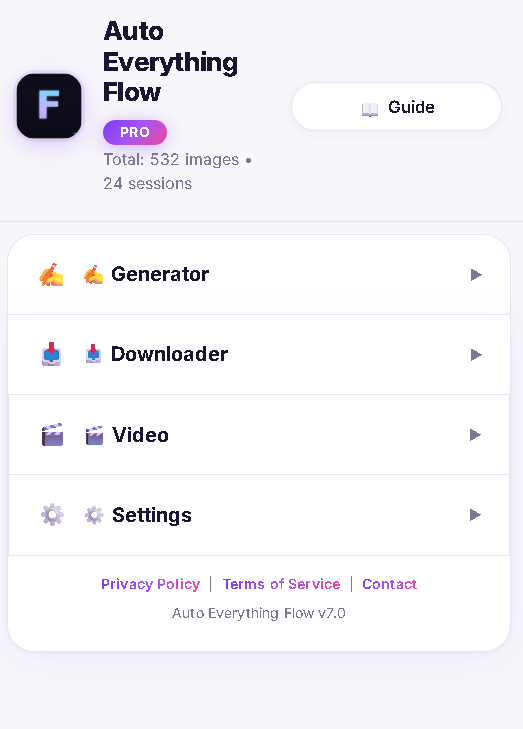
Move between Generator, Downloader, Video, Community and Settings without leaving your Flow workspace. Save character references locally for reuse, check your usage, and get help from other signed-in creators.

Auto Everything Flow main menu showing Generator, Downloader, Video and Settings sections
Prompt Generator

Batch Generate Hundreds of Images

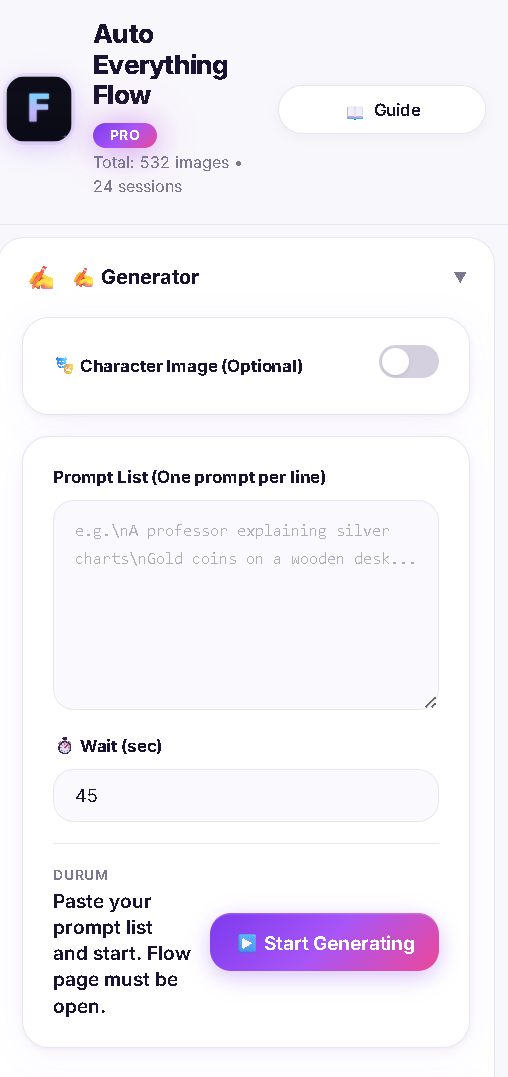
Paste all your prompts at once, set a wait time, and hit start. The extension feeds each prompt to Flow AI one by one, automatically. Attach a character image for consistent results across all generations. Supports 30 languages.

Auto Everything Flow prompt generator with character image, prompt list and start button
Smart Downloader

Scan, Match & Download Instantly

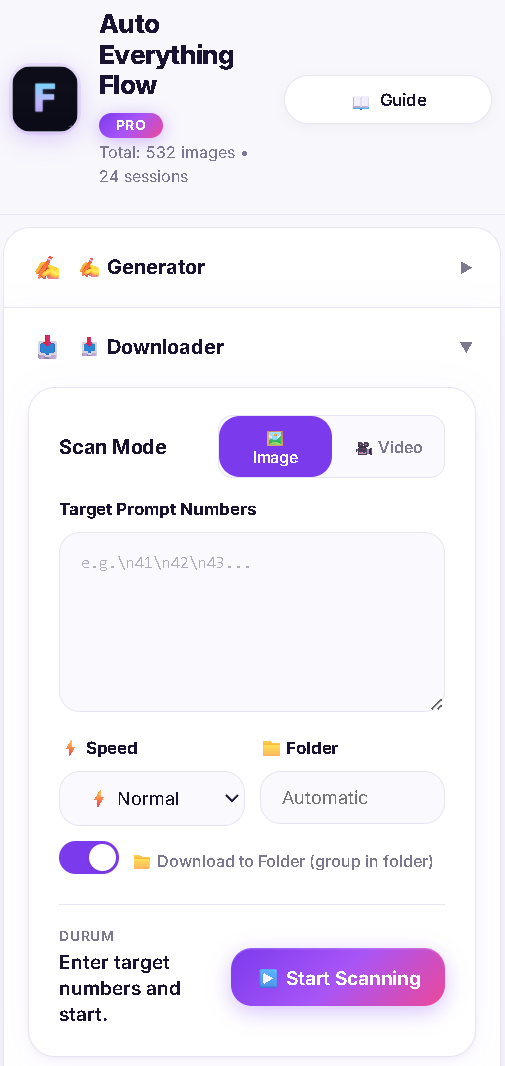
Enter your target prompt numbers and start scanning. The bot automatically scrolls through all your images, reads prompt numbers, and collects matching ones. Choose between Image and Video mode, adjust speed, and organize downloads into folders.

Auto Everything Flow downloader with scan mode, speed settings and folder options
Image to Video

Convert Your Images to Videos

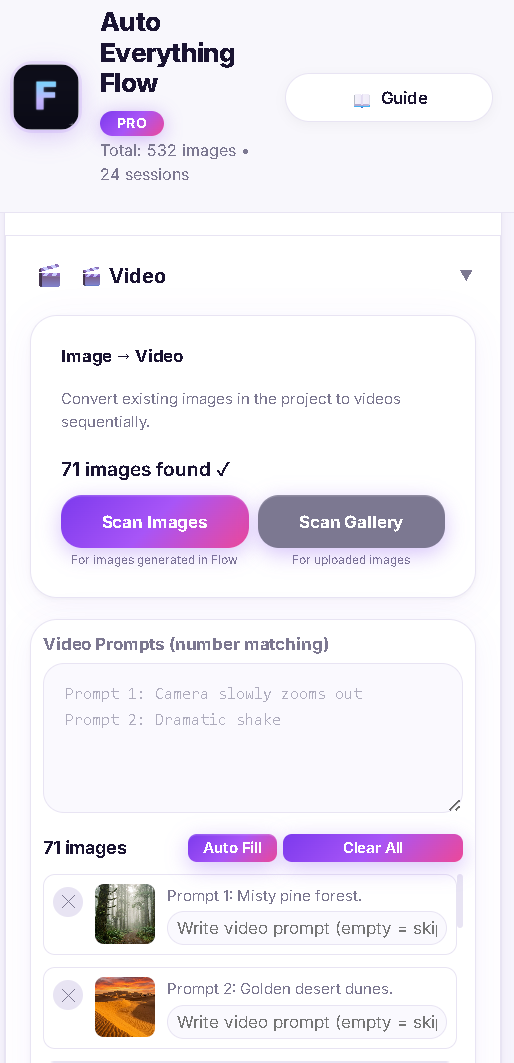
Scan your generated images, write a video prompt for each one, and let the bot handle the rest. It selects each image from the gallery, enters your prompt, and starts video generation — all automatically, one by one.

Auto Everything Flow video converter scanning 71 images with video prompts

Powerful Features

Everything you need to supercharge your AI image workflow.

🚀

Batch Prompt Generation

Submit hundreds of prompts automatically. Set custom wait times between generations for optimal results.

🔍

Smart Image Scanner

Intelligent scanning detects generated images across your Flow AI workspace. Supports both image and video modes.

📥

One-Click Bulk Download

Download all found images at once into custom-named folders. Organized automatically and ready to use.

🎭

Character Persistence

Reuse the same character reference in your prompts. Save references and favorites locally for easier selection. Final generated results depend on Google Flow.

🌍

30 Language Support

Full support for 30 languages including English, Turkish, Spanish, French, German, Japanese, Korean, and more.

🎨

Light & Dark Themes

Choose between light and dark modes for comfortable use at any time of day.

💬

Flow Creator Community

Signed-in Free and Pro users can chat about Flow workflows. Choose to translate a message into your selected interface language when you need it.

Simple Pricing

Start free, upgrade when you need more power.

Free

$0
forever
  • 10 prompt generations per 24-hour window
  • 10 downloads per 24-hour window
  • Batch prompt input
  • Smart image scanning
  • Folder organization
Install Free

Pro

$8.99 / mo
billed monthly; applicable tax shown at checkout
  • No extension prompt-generation quota
  • No extension download quota
  • Batch prompt input
  • Smart image scanning
  • Folder organization
  • Auto character selection
  • Priority support
Upgrade to Pro

New Pro subscriptions are sold through Paddle and renew monthly until canceled. Sign in with the email you use in the extension; Pro activates after payment is verified. Manage renewals through the Paddle portal linked in your subscription email.

This subscription covers the extension, not Google Flow access or Google credits. Google's limits still apply. Tax is included or added based on your location; review the final total in checkout. Have a discount code? Apply it there before paying.

Refund policy · Billing help and earlier Lemon purchases

Help & Contact

Need help or have a question? Reach out to us.

📧

Email Us

For support, feedback, or business inquiries.

autoeverythingflow@gmail.com
💻

GitHub

Report bugs, request features, or contribute.

View on GitHub →